
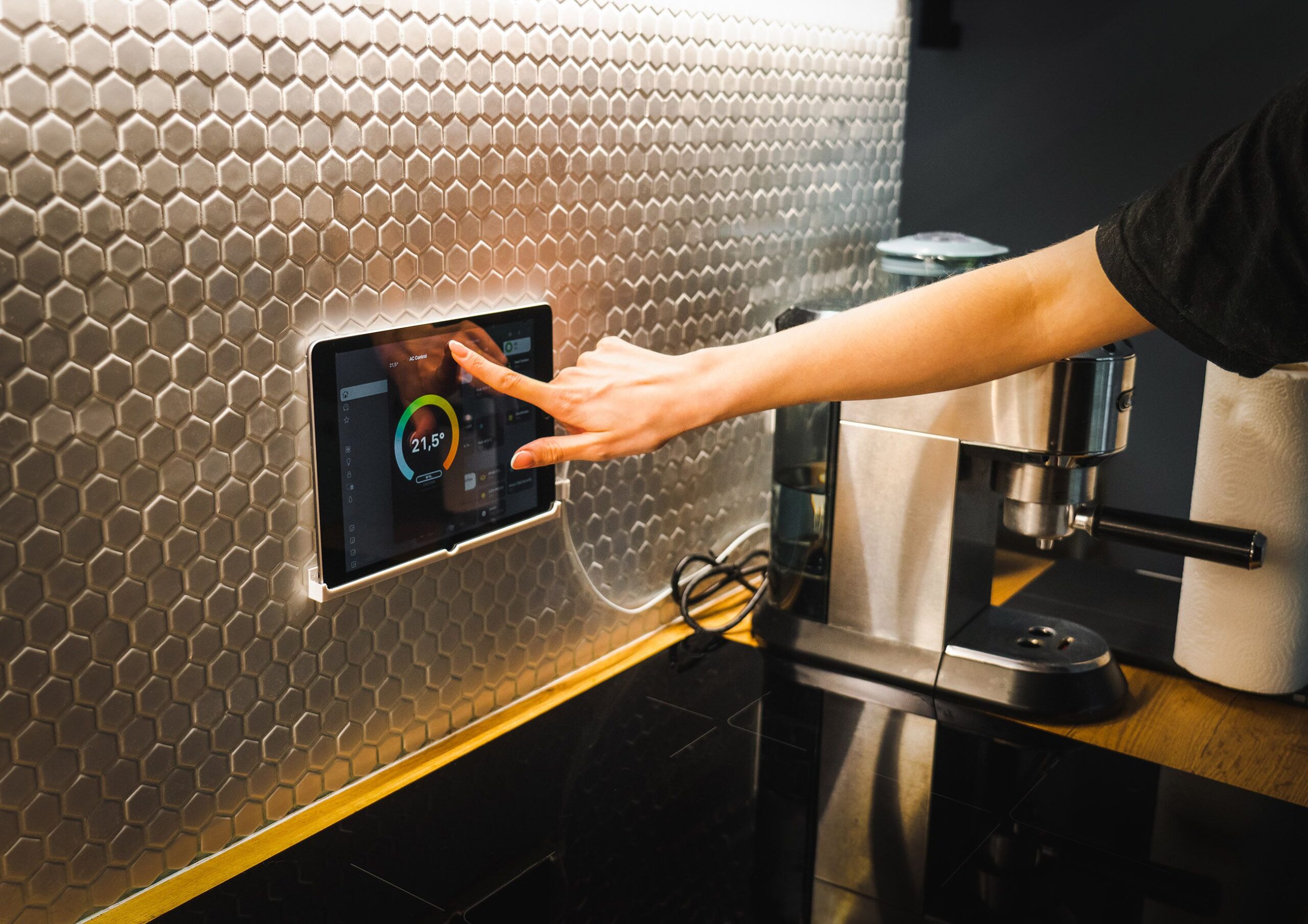
HomeAssistant 2025: The Ultimate Smart Home Automation Guide
HomeAssistant (often abbreviated as HA) has evolved from a niche open-source project into a dominant force in the smart home ecosystem. As of 2025, the platform offers a level of customization, privacy, and local control that proprietary systems like Google Home, Amazon Alexa, or Apple HomeKit cannot match. This is the definitive guide to mastering HomeAssistant in the current landscape, covering installation, advanced automations, voice control, Matter integration, and energy management.
What Makes HomeAssistant 2025 Different?
In 2025, HomeAssistant is no longer just for developers or tech enthusiasts. The introduction of HomeAssistant Green and HomeAssistant Yellow hardware has reduced the entry barrier dramatically. These devices offer pre-installed, plug-and-play hardware that is stable, fast, and capable of running the entire Home Assistant operating system without a Raspberry Pi. The software itself has seen a massive leap in AI integration, with LLM (Large Language Model) support baked directly into the voice pipeline and automation suggestions. The core philosophy remains: local control. 100% of your data stays on your network.
Installation Options: From USB Stick to Virtual Machine
Choosing the right installation method determines your system’s stability and upgrade path. In 2025, the recommended method for new users is the HomeAssistant Green device (affordable, silent, and comes with a 128GB SSD). For power users, the Yellow remains a high-performance option with Z-Wave and Thread radios built-in.
- HomeAssistant Operating System (HAOS): This is the gold standard. It installs onto a dedicated device (Green, Yellow, or a generic x86 PC) and includes a super minimal Linux OS, Docker containers, and the Home Assistant Supervisor. Updates are seamless, and add-ons (like Node-RED or ESPHome) are a single click away.
- Container Installation (Docker): Ideal for users already running a server (Unraid, Proxmox, Synology NAS). You manage the underlying OS and updates manually. You lose Supervisor functionality but gain incredible resource control.
- Core Only: Not recommended for 2025. This is a Python script only, requiring manual configuration streams and YAML writing for everything.
- Virtual Machine (VM): New in 2025, a fully supported HAOS VM for VMware and Hyper-V provides the best of both worlds: snapshot backups must be disabled within HA to avoid database corruption, but the hardware flexibility is unmatched.
Pro Tip: After installation, immediately enable Automatic Backups to Google Drive or a NAS. A single crashed SD card can erase years of configuration.
The Ultimate Onboarding: The UI Overhaul
The 2025 Web UI has been dramatically reworked for clarity. The “Automations & Blueprints” page now uses a drag-and-drop visual editor. The “Configuration” menu has been split into “Settings” (user-friendly) and “Advanced Settings” (YAML and developer tools). The most important new feature is the “Device Dashboard”. It groups all entities by physical device (e.g., “Living Room Light”) rather than by sensor type.
Key Integrations to Add Immediately:
- HACS (Home Assistant Community Store): The single most important add-on. Unlocks thousands of custom dashboards, cards, and integrations not available in the default store. Installation is now done directly via a button in the Settings > Add-ons menu.
- ESPHome: Build your own sensors. A $2 ESP32 microcontroller can become a leak detector, a thermostat, a BLE presence sensor, or a smart light switch, all communicating locally over WiFi.
- Matter Server: In 2025, Matter is finally stable. The official HA Matter bridge allows you to add any Matter-certified device (from Philips Hue to Aqara) without any cloud dependency. The integration is now a one-click setup that auto-generates a QR code for pairing.
Living Room: The Advanced Voice Pipeline
The “Assist” feature has matured. HomeAssistant 2025 has its own local voice assistant, “Wyoming”. This runs entirely on your hardware—no cloud required. It supports:
- Wake word: Choose between “Hey Jarvis,” “Okay Nabu,” or custom training.
- Fuzzy matching: “Turn on the litingroom lite” still works.
- LLM Integration: You can now connect a local LLM (like Llama 3 running on a separate NAS) to Assist. This allows natural language commands like, “What lights should I turn on to make the room feel cozy?” The LLM understands context and can suggest actions.
Hardware for Voice: The ESP32-S3-Box-3 is the de facto standard. It provides a speaker, microphone, and display for under $30. Alternatively, the HomeAssistant Voice Preview Edition (the official hardware) offers far-field microphones and a rotary encoder, making it a viable replacement for an Amazon Echo.
Kitchen: Creating “Rooms” and “Areas”
In 2025, the concept of “Floors” and “Areas” has been elevated. You can now create a logical hierarchy:
- Floor: “Main Floor”
- Area: “Kitchen”
- Devices: “Oven,” “Sink Light,” “Cabinet Puck Lights”
- Sensors: “Temperature Sensor,” “Motion Sensor”
Automations can now target entire floors. An alarm system automation can read: “If motion detected in Floor 2 after 11 PM, and Arm Night is ON, then alert.” This structure also powers the new “Auto-Organize” feature, which suggests placements for new devices based on network name and manufacturer descriptors.
The Backbone: Automations That Actually Work
Every smart home fails if automations don’t feel “magical.” In 2025, HomeAssistant excels here due to Triggers, Conditions, and Actions (TCA) architecture, but also thanks to State Machine Logic.
Top Automation Templates for 2025:
- Presence-Based Climate: Using ESPresence (a Bluetooth-based room presence sensor) combined with Generic Thermostat. If no presence detected for 15 minutes, temperature setpoint drops to 16°C. If someone enters, it restores to 21°C. This is local, fast, and saves 30% on heating bills.
- Away Mode Lockdown: When your mobile phone leaves the “Home” geofence (which now uses GPS + WiFi triangulation for accuracy), the automation runs: Lock all doors, disarm alarm (only if triggered by user), turn off all lights, and set the vacuum to “Eco Mode.”
- Adaptive Lighting: This built-in integration is no longer an add-on. It automatically adjusts the color temperature and brightness of all lights throughout the day, mimicking natural sunlight. Morning: 4000K at 100%. Evening: 2200K at 30%. No YAML required—just toggle it in the light entity configuration.
- Scene Activations via QR Code: Place QR codes around the house. Scan with your phone to trigger a scene. “Movie Night” turns the TV on, dims the lights to 1%, and closes the blinds.
Energy Management: The Financial Return
HomeAssistant 2025 has the most advanced Energy Dashboard of any consumer platform. It integrates directly with Utility APIs (e.g., Octopus Energy, PG&E) to fetch real-time pricing. You can now build automations that run the dishwasher only when your electricity rate is below a threshold.
Key Components:
- Solar Production: Automatic detection via the Sun Integration combined with inverter data (SolarEdge, Enphase).
- Battery Monitoring: Track charge/discharge cycles of your Tesla Powerwall or home lab battery bank.
- Energy Distribution: The new “Grid Flow” card shows a real-time Sankey diagram of where power is going: House, Car Charger, Export to Grid.
Automated Energy Saving Automation:
Trigger: Energy price exceeds $0.40/kWh.
Condition: House occupancy is “Asleep” or “Away.”
Action: Set thermostat to eco mode. Disconnect non-essential circuits (via a Shelly PM relay). Show notification: “Power hose turned off. Peak pricing until 9 PM.”
Security & Surveillance: The Local Advantage
In 2025, privacy fears have made local CCTV the standard. Frigate (installed as an add-on) is the gold standard for AI-powered object detection using Google Coral TPU. It can differentiate between a leaf blowing in the wind and a person walking. The integration with HomeAssistant is seamless—when Frigate detects a person, the automation can announce it on the voice assistant and turn on the doorbell camera.
Doorbell Automation:
Trigger: Frigate person detected at front door (using a Reolink or Dahua camera).
Action: Push notification to phone with a live snapshot. Open the Google Nest Hub interface to the front door camera stream. Send a TTS to the kitchen: “Someone is at the front door.”
Advanced: Zigbee2MQTT vs. ZHA
The Zigbee debate continues. In 2025, Zigbee2MQTT remains the superior choice for advanced users who need direct control over every Zigbee endpoint. It supports more devices, allows OTA firmware updates, and allows you to bind devices directly without going through the coordinator. ZHA (Zigbee Home Automation) is easier to set up and is recommended for a standard 50-device network. If you buy a Sonoff USB dongle (Zigbee 3.0), ZHA works flawlessly.
Debugging and Maintenance
- Logbook: This new feature shows a timeline of every event. If a light didn’t turn off, you can see exactly which automation triggered and which condition blocked it.
- Rebuilding the Database: HA uses SQLite by default. After 6 months, the database can balloon to 10GB. Enable “Recorder” purge settings to automatically delete data older than 7 days for state changes, while keeping history for sensors.
- Network Diagnostics: The “System Health” panel now graphs network latency per integration. If your Philips Hue bridge disconnects every 5 minutes, you will see a spike in the graph.
The Future is Local
HomeAssistant 2025 proves that a truly smart home does not require a monthly subscription, a cloud connection, or sacrificing privacy. The platform has matured to a point where it is more reliable than any commercial alternative, offering infinite flexibility. The combination of Matter for interoperability, LLMs for natural language, and local AI for security makes this the definitive year for HomeAssistant as the ultimate smart home operating system. Every component, from a $2 ESP32 to a $500 NAS, now works in perfect, immediate synchrony.