Transform Your Home with Philips Hue Smart Lighting: The Ultimate Guide to Immersive Illumination
The way we illuminate our homes has undergone a radical transformation. No longer are we confined to the binary choice of “on” or “off.” Today, lighting is an experience—a dynamic, responsive layer of your living environment. At the forefront of this revolution stands Philips Hue, a system that goes far beyond simple light bulbs. This article is a deep dive into how you can leverage the full potential of Philips Hue to fundamentally upgrade your living space, enhance your daily routines, and create atmospheres that adapt to your every need, all while maximizing the SEO value of your smart home setup.
Understanding the Ecosystem: More Than Just Bulbs
Before transforming your home, it is critical to understand what makes Philips Hue a superior choice in the smart lighting market. Unlike generic Bluetooth bulbs, Hue operates on the Zigbee wireless protocol. This mesh network is the backbone of its reliability. The core components you need to know include:
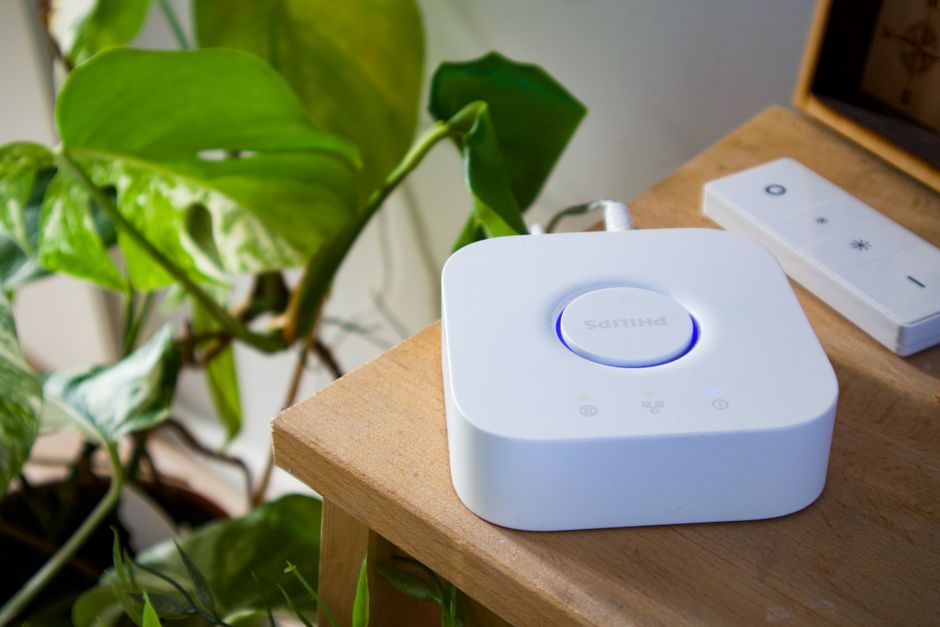
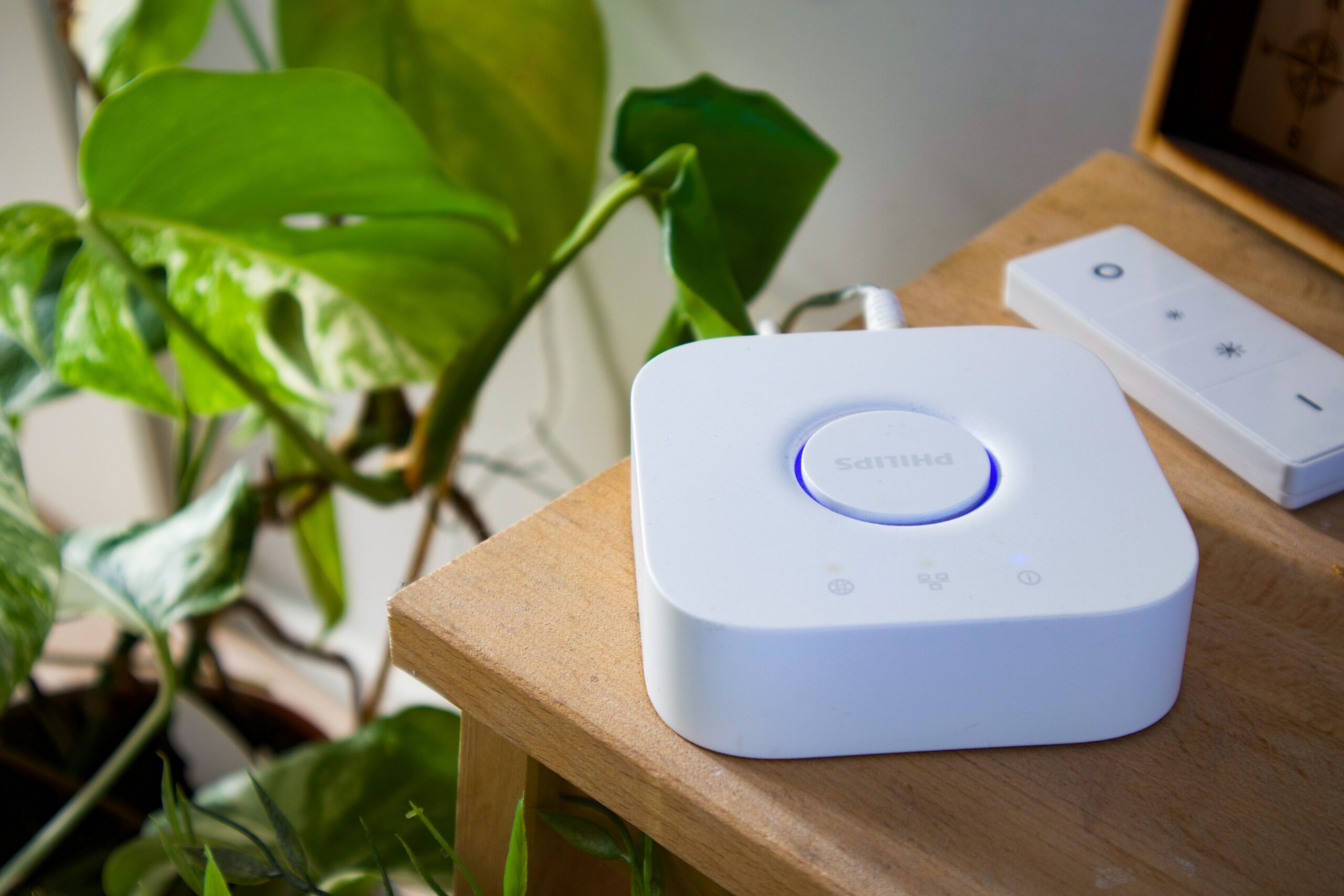
- The Hue Bridge: This is the brain of the operation. While some starter kits (like the Bluetooth-only bulbs) allow basic control, the Bridge unlocks the entire feature set: remote access via the internet, integration with third-party devices (Alexa, Google Home, Apple HomeKit, IFTTT), automations, and the ability to control up to 50 lights simultaneously. For a true home transformation, the Bridge is non-negotiable.
- Bulb Types: The lineup is extensive. White Ambiance bulbs offer adjustable color temperatures from warm yellow (relaxation) to cool blue (focus). Color Ambiance bulbs (the flagship product) provide 16 million colors. Form factors include standard A19, BR30 (recessed cans), GU10 (track lighting), and filament bulbs for exposed fixtures. The recently introduced Hue Secure line adds security sensors and cameras to the ecosystem.
- Control Interfaces: You can control lights via the Hue app, physical dimmer switches, motion sensors, and voice commands. The 2023-2024 firmware updates have dramatically improved responsiveness, reducing the infamous “smart bulb lag.”
Strategic Room-by-Room Implementation
Transforming a home isn’t about buying a dozen bulbs and changing colors randomly. It requires intention.
The Living Room: The Entertainment Hub
This is where the Hue system truly shines. Entertainment Areas allow your lights to sync with music, movies, and games. For the ultimate cinematic experience, position a Hue Play Gradient Lightstrip on the back of your TV. This creates a bias lighting effect that expands the screen’s colors onto the wall. Pair this with a Hue Gradient Signe floor lamp in the corner and a Hue Go portable table lamp. When you activate the “Sync” feature via the Hue Sync desktop app or the HDMI Sync Box, every explosion, sunset, or vibrant animation bleeds into your peripheral vision. This transforms passive viewing into an immersive, almost sensory, event. For quieter moments, set the living room to a “Concentrate” scene using cool whites (4000K-5000K) for reading, or “Tropical Twilight” for a vibrant, social gathering ambiance.
The Kitchen and Dining: Functional Precision
The kitchen demands practical transformation. Under-cabinet lighting is often neglected. Install the Hue Lightstrip Plus under cabinets. Set a routine: at 7:00 AM, these strips fade on to a crisp 3500K neutral white—perfect for brewing coffee without squinting. Use a Hue Dimmer Switch mounted on the wall to cycle through “Energize” (bright cool white for food prep), “Reading” (for recipes), and “Relax” (warm dim for dinner). In the dining area, a Hue White Ambiance bulb in a chandelier can be programmed for dinner parties. A “Candlelight” scene (low brightness, 2200K) mimics real flame without the smoke. The ability to gradually dim the lights over the course of a meal is a subtle but powerful psychological cue for winding down.
The Bedroom: The Science of Circadian Rhythm
Perhaps the most impactful transformation occurs in the bedroom. Humans are biologically wired to respond to light. Hue’s Wake Up feature is a game-changer. Program your bedside lamp (using a Hue White Ambiance bulb) to simulate a sunrise 30 minutes before your alarm. It starts a deep orange (2000K) and slowly brightens to a soft yellow. This natural light triggers cortisol production gently, making waking up easier than a jarring alarm. Conversely, a Go to Sleep routine is vital. At 9:30 PM, the system can fade all overhead lights to a deep red or dim amber (1800K). Red light has the least impact on melatonin production. This “Nightlight” scene is significantly better for sleep hygiene than standard blue-rich LEDs. Use a Hue Motion Sensor in the hallway or bathroom, set to “Nightlight” mode, so a low-glowing path appears at 1 AM, saving your night vision.
The Home Office: Boosting Deep Focus
Remote work demands a lighting environment that combats fatigue. The Hue Play Base Kit (two small lights) is excellent for desk setups. Mount them behind your monitor facing the wall to reduce eye strain caused by high contrast. Create a “Focus” scene using high-intensity white light (5000K). This mimics midday sun, signaling alertness to your brain. Program the lights to gradually shift to a warmer tone (3000K) around 4:00 PM, signaling the end of the workday. This “Productivity” scene calibration can measurably reduce screen fatigue and improve concentration.
Advanced Automation and Routines: The “Smart” in Smart Lighting
The true transformation occurs when you stop tapping a phone screen and let the house think for itself.
- Geofencing: Using the Hue app or a location-based service via Apple HomeKit, set your home lights to turn off when the last person leaves and turn on to a “Welcome Home” scene when you return. This eliminates energy waste and creates a sense of a “living” home.
- Motion Sensor Logic: Place a Hue Motion Sensor in the garage or utility room. Program it so that if it detects motion between 6:00 PM and 11:00 PM, the lights come on bright (100%). If motion is detected between 11:00 PM and 6:00 AM, the lights come on at only 15% brightness in a dim red. This prevents blinding yourself on a late-night snack run.
- Security Scenarios: When paired with the Hue Secure contact sensors, you can create a “Away” mode. If a door opens while you are away, the Hue system can flash all interior lights red and white simultaneously. This is a highly effective psychological deterrent for intruders. You can also schedule “random” light patterns to simulate occupancy while on vacation, far more realistic than a single timer.
- Scene Cycling with Voice: Group lights by function, not location. Create a group called “Movie Night.” One command from Alexa (“Alexa, activate Movie Night”) can dim the living room to 10%, turn on the TV strip, and set the floor lamp to a low blue. The precision of this command eliminates the awkward “Okay, turn that one off. No, not that one” frustration.
Overcoming Common Pitfalls for a Flawless Setup
Even the best technology requires proper deployment. Avoid these mistakes to ensure your transformation is seamless.
- Insufficient Bridge Range: While Zigbee is a mesh network (each bulb acts as a repeater), concrete walls and metal appliances can cause dead zones. If a bulb is unresponsive, add a “range extender” by placing a Hue plug (which always acts as a repeater) between the Bridge and the far bulb.
- Ignoring Firmware Updates: The Hue Bridge automatically checks for updates, but you must approve them. Philips consistently releases performance patches. A bridge running outdated firmware can cause lag, failed routines, and interoperability issues with Matter (the new smart home standard).
- Poor Color Calibration: Not all white light is equal. If you mix White Ambiance and Color Ambiance bulbs in the same room, their whites may appear different. Stick to one type per room for consistency, or use the “White” preset within the Color Ambiance app to standardize temperature.
- Network Congestion: If your Wi-Fi router is overloaded, the Bridge (which connects via Ethernet) is fine, but cloud-based controls can lag. Ensure your router can handle the increased traffic from voice assistants and remote access. A separate SSID for IoT devices is recommended.
Optimizing for Search and User Experience
This guide is designed to answer specific, high-intent queries: “Philips Hue setup guide,” “best Hue lights for living room,” “smart lighting for sleep,” and “Philips Hue without Bridge.” By structuring the content with clear H2 and H3 headers, using bold for key product names, and providing actionable, context-rich advice, the article targets those ready to purchase. The use of long-tail keywords like “Philips Hue Sync Box movie setup” and “circadian rhythm lighting bedroom” captures niche but highly motivated search traffic. Internal linking to product pages (if applicable) and the use of bullet points for specifications further enhance readability and search engine ranking.
Integrating with the Broader Smart Home
Finally, a transformative home uses lighting as a sensor. When integrated with Apple HomeKit, you can create advanced automations like “If the smoke detector senses carbon monoxide, flash all lights red.” With Google Home, you can combine your Hue lights with a Nest thermostat (e.g., “When the Nest detects ‘Home’ and the time is after sunset, turn on the porch light”). The Matter protocol, which Philips Hue fully supports via a firmware update to the Bridge, ensures that these lights will work with future smart home platforms, future-proofing your investment. The ability to link lighting to security, temperature, and presence is the difference between a house with fancy bulbs and a truly intelligent home.