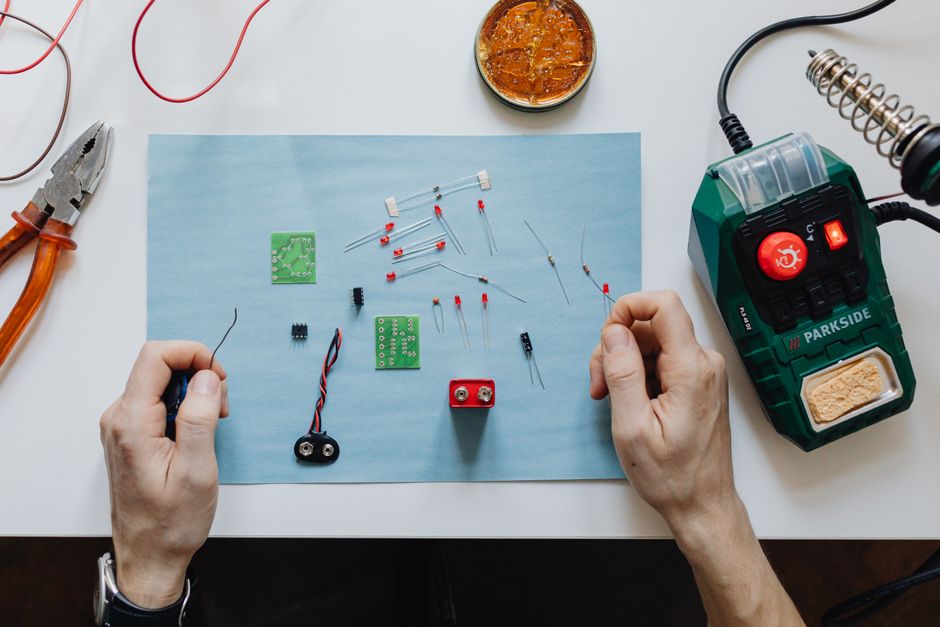

The choice between an ESP32 and an Arduino board is one of the most common crossroads for electronics enthusiasts, hobbyists, and professional embedded engineers. While both platforms are incredibly popular for microcontroller-based projects, they serve fundamentally different purposes. Understanding the architectural, performance, and connectivity distinctions is critical before starting a project.
Core Architecture and Processing Power
The most significant difference lies in the underlying microprocessor. Traditional Arduino boards, such as the Arduino Uno, rely on the ATmega328P, an 8-bit AVR microcontroller clocked at 16 MHz. This is a simple, reliable, and power-efficient chip designed for basic input/output control. In contrast, the ESP32, manufactured by Espressif Systems, features a 32-bit dual-core Tensilica Xtensa LX6 microprocessor clocked at up to 240 MHz. The ESP32 is not merely a microcontroller in the traditional sense; it is a System on a Chip (SoC) that integrates a full Wi-Fi and Bluetooth stack on the same die.
This architectural leap translates directly into raw performance. The ESP32 offers roughly 20 times the clock speed of a standard Arduino Uno, and the dual-core design allows for true parallel processing. One core can handle network protocols while the other manages sensor data, eliminating the need for complex interrupt-driven code. For example, an ESP32 can process real-time audio or decode JPEG images, tasks that would cripple an 8-bit Arduino.
Built-in Wireless Connectivity
The single most compelling reason to choose an ESP32 over a classic Arduino is native wireless capabilities. The ESP32 includes dual-mode Bluetooth (Classic and BLE) and 2.4 GHz Wi-Fi (802.11 b/g/n) onboard. An Arduino Uno, Leonardo, or Mega has no wireless hardware at all. To add Wi-Fi to an Arduino, you must purchase a separate shield (e.g., the Arduino Wi-Fi Shield or an ESP8266 module), which increases cost, physical footprint, and firmware complexity.
The ESP32’s Wi-Fi supports both station (client) and access point (AP) modes, enabling direct web server hosting, MQTT communication, and over-the-air (OTA) firmware updates. Its Bluetooth Low Energy (BLE) functionality is particularly valuable for IoT wearables and health monitors, allowing direct communication with smartphones without draining batteries. The ESP32-S3 variant even includes support for IEEE 802.15.4 and Thread protocols, opening the door to Matter-compatible smart home devices.
Pin Count and Peripheral Interfaces
The Arduino Uno provides 14 digital I/O pins (6 with PWM) and 6 analog input pins. The ESP32 vastly expands this capability, offering up to 34 programmable GPIO pins on standard modules like the ESP32-DevKitC. However, not all pins are equal on the ESP32. Certain pins have restrictions during boot, analog conversion, or RTC operation.
A critical difference is the ESP32’s integrated peripherals: it includes two 8-bit DACs, two I2C interfaces, three SPI interfaces, two I2S audio interfaces, a CAN bus controller, an Ethernet MAC interface (on some variants), and a touch sensor controller. The Arduino Uno has one I2C and one SPI bus, limiting expandability for multi-peripheral projects. The ESP32 also supports native USB OTG on the S2 and S3 variants, allowing it to act as a USB host for keyboards, mice, or mass storage devices.
Analog-to-Digital Converter (ADC) Quality
Analog input quality is a notable weakness of the ESP32 compared to the Arduino. The Arduino Uno uses a 10-bit ADC, providing 1024 discrete voltage levels (0-1023). While not exceptional, it is linear and stable across the standard 0-5V range. The ESP32’s ADC is 12-bit (4096 levels) in theory, but it suffers from significant non-linearity and noise, particularly at the high and low ends of the voltage range. This makes the ESP32 less suitable for precision analog sensing, such as thermocouple readings or strain gauge measurements, without external ADC chips like the ADS1115. Conversely, the Arduino’s ADC, though lower resolution, is more consistent for basic sensor work.
Memory and Storage Capabilities
Memory capacity is another decisive factor. The Arduino Uno has 2 KB of SRAM and 32 KB of Flash storage (0.5 KB used by the bootloader). This severely limits the complexity of programs and the size of data arrays. The ESP32, depending on the specific module, offers 520 KB of SRAM and up to 16 MB of external Flash via SPI. Some modules, like the ESP32-WROVER, also include 8 MB of PSRAM, allowing for frame buffers, large audio samples, or complex graphical data.
This memory hierarchy enables the ESP32 to run lightweight operating systems like FreeRTOS, which is used to manage its dual cores and task scheduling. FreeRTOS preemptive multitasking allows developers to write cleaner, more modular code for concurrent tasks—reading a sensor, updating an OLED display, and sending Wi-Fi data simultaneously. Arduino’s single-threaded loop structure is simpler but becomes unwieldy for complex state machines.
Power Consumption and Sleep Modes
Arduino boards, particularly the Uno running at 5V, consume around 50-60 mA in active mode. The ESP32, despite its higher performance, can be more power-efficient due to advanced sleep modes. In active mode with Wi-Fi enabled, the ESP32 draws roughly 80-160 mA. However, its deep sleep mode consumes as little as 5 µA, while retaining RTC memory and a timer for scheduled wake-ups. The Arduino Uno lacks deep sleep capabilities; its power-down mode still draws several milliamps.
For battery-powered IoT sensors that wake up once an hour to transmit a temperature reading, the ESP32’s deep sleep is transformative. A single 18650 battery can power an ESP32 in deep sleep for months. The Arduino Uno is impractical for such applications without significant external power management circuitry.
Development Environment and Programming Languages
The Arduino IDE supports both platforms, but the ecosystem differs. Arduino boards are programmed in C/C++ using the Wiring-based Arduino language, which abstracts complex register manipulation into simple functions like digitalWrite(). This is exceptionally beginner-friendly. The ESP32 can also be programmed via the Arduino IDE, thanks to the ESP32 Arduino Core maintained by Espressif. However, users often encounter more complex setup, including board package installation, partition table management, and debugging of Wi-Fi stack crashes.
For advanced users, the ESP32 offers native development in the ESP-IDF (Espressif IoT Development Framework). ESP-IDF provides full access to FreeRTOS, LWIP (TCP/IP stack), and hardware abstraction layers. This is a steeper learning curve but offers finer control over memory and performance. Arduino’s toolchain is simpler but lacks the debugging capabilities of ESP-IDF, which supports JTAG debugging and real-time trace via OpenOCD.
Ecosystem, Shields, and Community Support
Arduino’s biggest asset is its vast ecosystem. Thousands of shields—motor drivers, GPS modules, Ethernet controllers, touch screens—are designed specifically with Arduino pin headers in mind. Libraries for sensors like the DHT11, ultrasonic HC-SR04, or the 1602 LCD are mature, tested, and documented exhaustively. The Arduino community is enormous, making it easy for beginners to find tutorials and troubleshooting guides.
The ESP32 ecosystem has grown rapidly but is less standardized. Many ESP32 development boards (e.g., the ESP32-DevKitC, LOLIN32, M5Stack) have different pin layouts, and some shields designed for Arduino require level shifting because the ESP32 operates at 3.3V logic, not the 5V logic of the Arduino Uno. Directly connecting 5V sensors to an ESP32 GPIO pin can damage the chip. This requires additional components like logic level converters or voltage dividers, adding complexity for newcomers.
Real-Time Operating vs. Bare-Metal Control
Arduino’s loop structure is inherently bare-metal and deterministic. For applications requiring precise timing without jitter—such as generating PWM signals for a servo exactly every 20 ms—the Arduino is often more reliable out of the box. The ESP32’s FreeRTOS scheduler introduces task preemption, which, while excellent for multitasking, can cause microsecond-level timing variability if tasks are not critically prioritized.
For example, controlling a brushless motor ESC using a 50 Hz PWM signal is straightforward on an Arduino using the Servo library. On an ESP32, the same task requires using the MCPWM (Motor Control PWM) peripheral or carefully configuring FreeRTOS task priorities to avoid interference from Wi-Fi interrupts. This does not make the ESP32 less capable, but it demands a deeper understanding of real-time systems.
Cost and Availability
The price difference is striking. A genuine Arduino Uno R3 costs approximately $25-$30. Clone boards can be found for $5-$10. An ESP32 development board, such as the ESP32-DevKitC V4, typically costs $5-$12—often less than a clone Arduino while offering exponentially more features. For high-volume manufacturing, the ESP32 module itself (ESP32-WROOM-32) costs under $3 per unit in bulk, compared to the ATmega328P which costs around $2. The ESP32’s integrated radio eliminates the need for a separate Wi-Fi chip, reducing BOM cost for connected products.
Security and Flash Encryption
Security features are another differentiator. The ESP32 includes hardware-accelerated AES, SHA, RSA, and ECC cryptography engines. It supports secure boot, flash encryption, and a hardware random number generator. This is essential for IoT products that require secure data transmission and protection against firmware cloning. The Arduino Uno has no such hardware security; any code can be read from the chip using an SPI programmer unless the fuse bits are set to disable memory readout, which still does not prevent physical probing.
Which Board Fits Your Project?
For projects that prioritize simplicity, low cost per unit for non-connected tasks, and extensive beginner resources, the Arduino ecosystem remains ideal. Applications such as basic robotics with a motor shield, simple LED matrices, analog sensor logging, or educational prototyping benefit from Arduino’s forgiving 5V logic and vast shield compatibility.
The ESP32 is the superior choice for any project requiring internet connectivity, Bluetooth communication, heavy data processing, or advanced power management. This includes IoT temperature monitors, web-controlled home automation systems, cloud-connected weather stations, BLE beacon devices, or real-time data loggers that send data to a database. The ESP32 is also the better platform for projects that need to handle multiple concurrent tasks without external hardware, such as a smart display that simultaneously reads a gesture sensor and updates a Touch LCD.
If you are a beginner, starting with an Arduino Uno or Nano teaches the fundamentals of electronics, logic levels, and sensor interfacing without the complexity of networking stacks. Once you outgrow its limitations—or need connectivity—migrating to an ESP32 is straightforward, as the Arduino IDE code is largely transferable after adjusting pin numbers and voltage levels.
For professional product development, the ESP32’s integrated connectivity, dual-core processing, and security features make it the default choice for an overwhelmingly large segment of modern IoT applications. The Arduino family, particularly the Arduino MKR and Nano boards, now includes Wi-Fi-enabled versions (the MKR WiFi 1010 and Arduino Nano 33 IoT), which use the u-blox NINA-W102 module (based on ESP32). This convergence blurs the lines, but the standalone ESP32 remains more performant and cost-effective for high-volume or power-sensitive designs.